Documentation Index
Fetch the complete documentation index at: https://docs.kadoa.com/llms.txt
Use this file to discover all available pages before exploring further.
Your webhook endpoint must be publicly accessible.
Setup
Dashboard Setup
- Go to Notifications in the sidebar
- Click Add Channel → Webhook
- Enter your endpoint URL
- Save changes
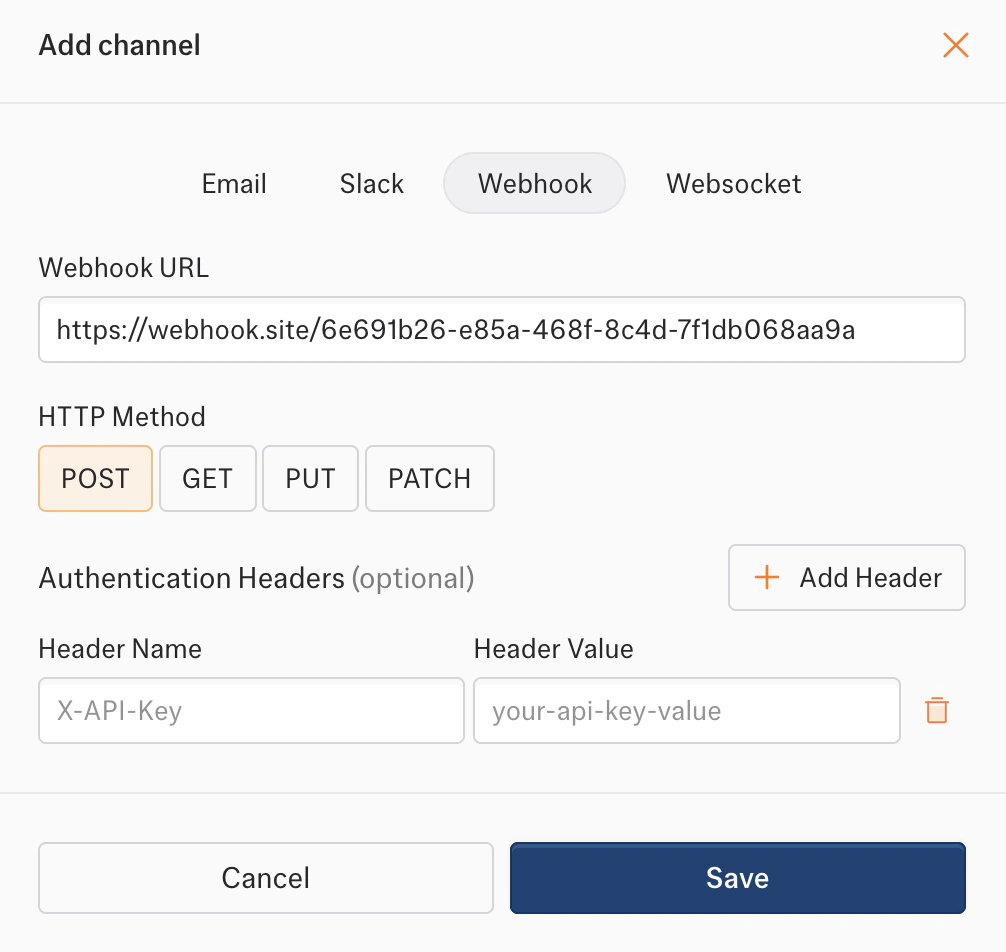
Authentication
Add custom headers for webhook authentication:Request Format
Every webhook request includes:| Header | Description |
|---|---|
Content-Type | application/json |
X-Kadoa-Event | Event type (e.g., workflow_data_change) |
Payload Reference
All payloads follow this structure:workflow_failed fields: required workflowId, source, reason, action; optional workflowName, sourceUrl, url.
workflow_recovered fields: required workflowId, workflowName, source; optional sourceUrl, url.
| Event | Description |
|---|---|
workflow_data_change | Monitored data changes. Difference types: changed, added, removed |
workflow_finished | Workflow completes successfully |
workflow_failed | Workflow fails. Includes reason and a human-readable action. |
workflow_recovered | Workflow recovers after failure. Sent via workflow_failed subscription; suppressed if workflow_finished is also configured. |
workflow_validation_anomaly_change | Validation anomalies change |
Error Handling
Kadoa retries failed webhook deliveries with exponential backoff:| Attempt | Delay |
|---|---|
| 1st retry | 1 second |
| 2nd retry | 2 seconds |
| 3rd retry | 4 seconds |
2xx status code to acknowledge receipt.