

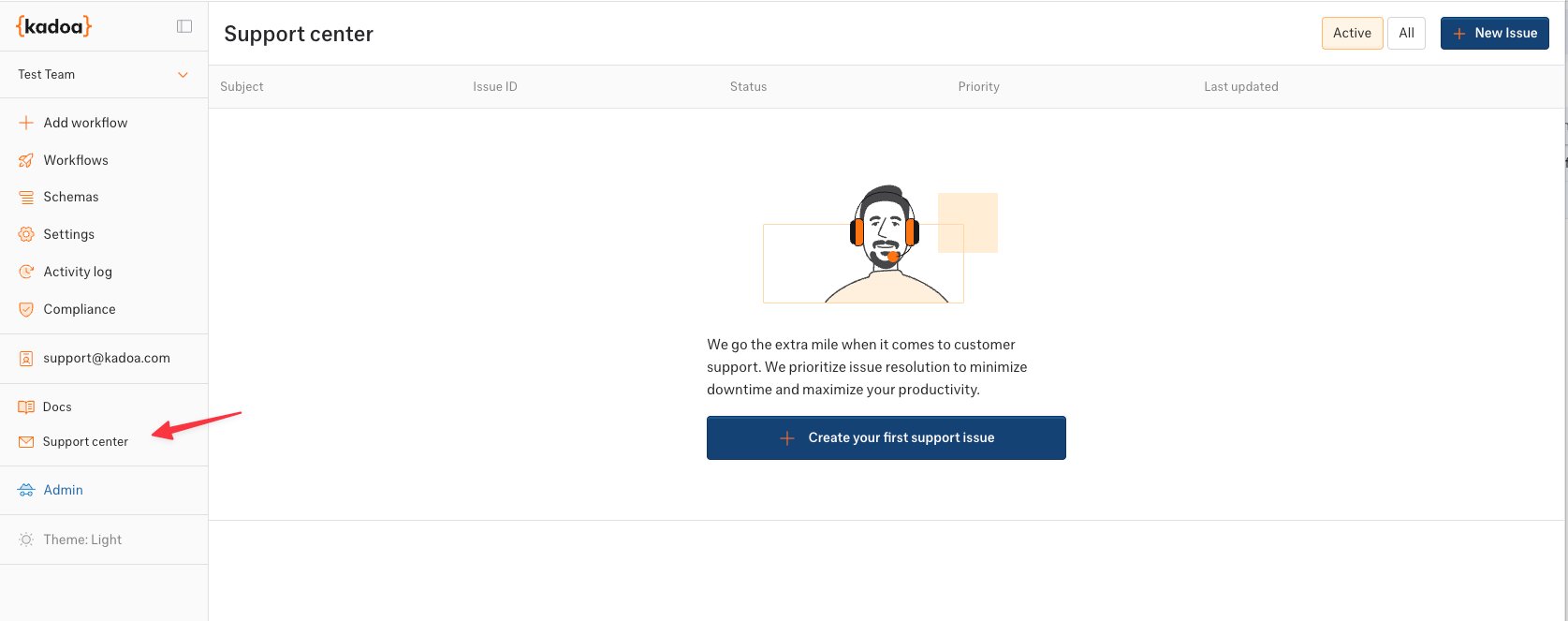
- Click Support in the left sidebar navigation
- View all your existing support requests
- Click New Issue to submit a new request
Submitting a Support Request
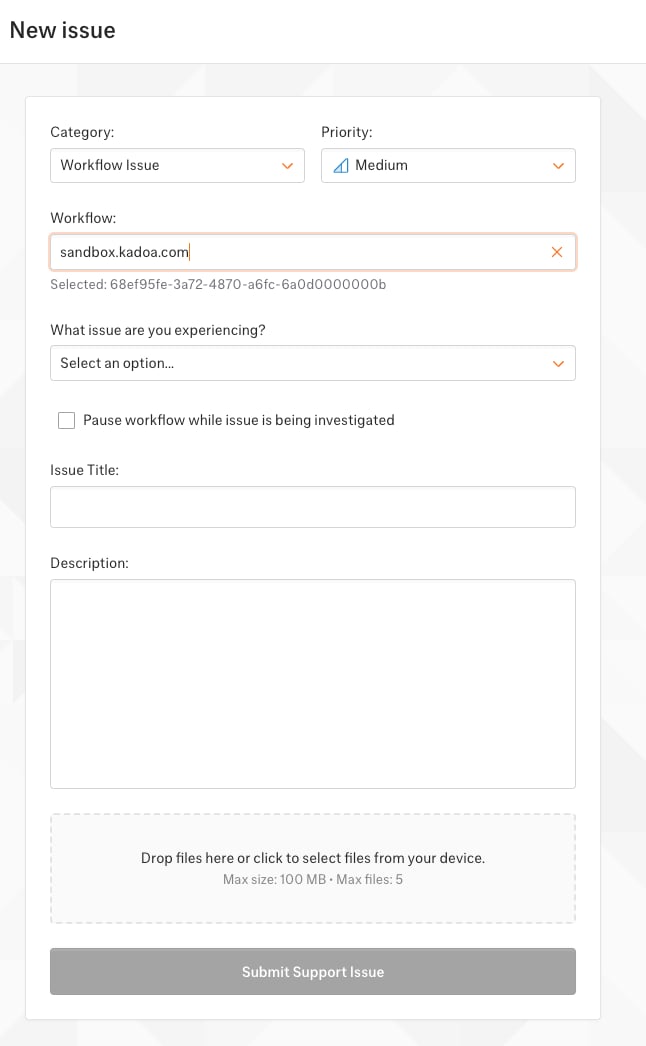
- Select the affected workflow from your existing workflows
- Specify the issue type: wrong data, missing fields, wrong website, scraper not working…
- Optionally pause the workflow while the issue is being investigated
- Provide details:
- Title: Brief summary of the issue
- Description: Detailed explanation with specific examples
- Priority: Urgent, High, Medium, or Low
- Attachments: Screenshots or files that help illustrate the issue
Tracking Your Issues
The Support Center shows all your submitted issues with:- Status: Triage, Todo, In Progress, Done, Canceled…
- Priority level
- Last updated timestamp
- Issue ID for reference
API Access
You can also manage support issues programmatically using the Support API. The API lets you list, create, and update support issues, as well as retrieve available issue states.Other Ways to Get Help
- Documentation: Browse our docs for guides and API reference
- Compliance questions: Contact compliance@kadoa.com