Connect to Kadoa’s WebSocket server for instant event notifications. Kadoa broadcasts events to your connected clients.
WebSockets are Kadoa’s lowest-latency notification channel, but they should be treated as a best-effort realtime transport rather than an exactly-once delivery system. For critical workflows, make your event handling idempotent and use event.id as a dedupe key.

Setup

workflow_failed message fields: required workflowId, source, reason, action; optional workflowName, sourceUrl, url. workflow_recovered message fields: required workflowId, workflowName, source; optional sourceUrl, url. For API configuration, see the API reference.

Dashboard Setup

  1. Go to Notifications in the sidebar
  2. Click Add ChannelWebSocket
  3. Select the Enable Websocket real-time streaming checkbox.
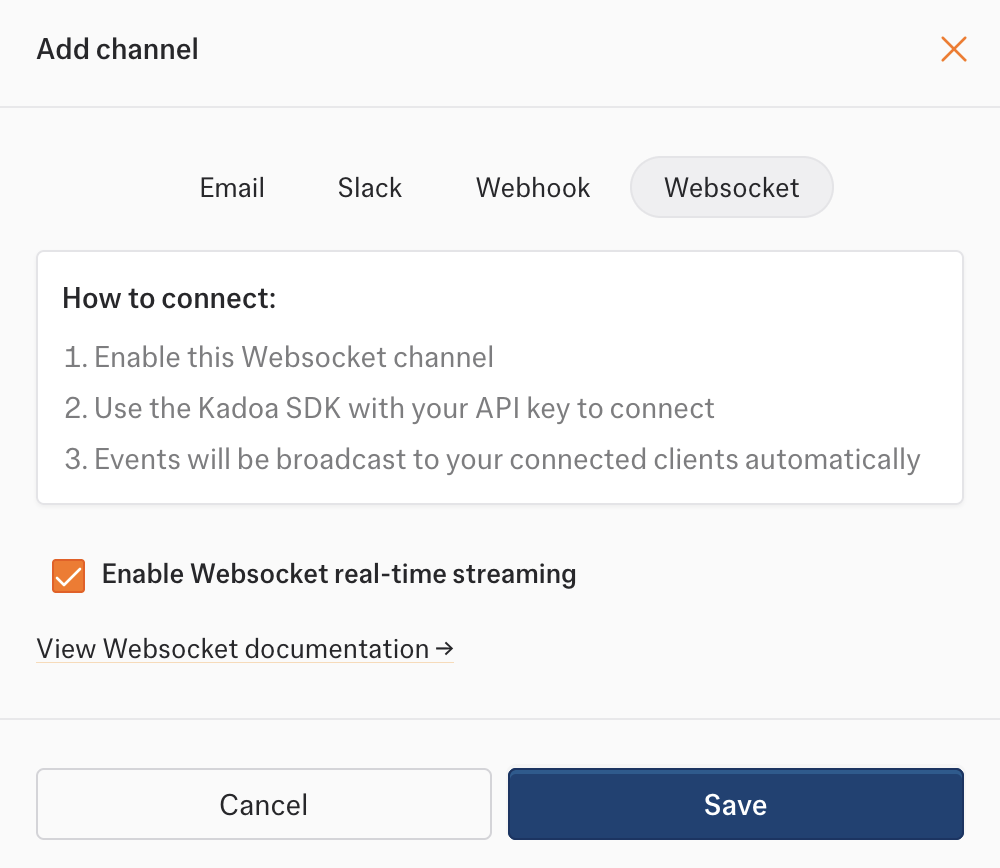
WebSocket setup

Connect to both EU and US

Keep two WebSocket connections open concurrently, one to each regional endpoint: wss://realtime.kadoa.com routes to the nearest healthy region. Using it alongside the US endpoint does not guarantee connections to two different regions.
  1. Use the same team’s API key for both connections. For each connection, request a token with POST https://api.kadoa.com/v4/oauth2/token, passing the key in the x-api-key header. The response contains access_token and team_id.
  2. Connect to each regional endpoint with ?access_token=<access_token> appended. Keep API keys, tokens, and authenticated URLs out of logs.
  3. Send the following message on both sockets, using the returned team_id:
  4. Confirm each socket receives subscribe.ack. Its region should be europe-west3 for EU and us-east1 for US. Treat acknowledgments, heartbeats, and control.draining messages separately from business events.
  5. Both sockets receive the same team feed. Process the first arrival of each event and deduplicate subsequent copies by event.id across both connections. If separate processes consume the sockets, they need shared deduplication or idempotent downstream processing.
  6. Reconnect each socket independently to its regional endpoint, obtaining a fresh token and subscribing again. Track the latest _cursor separately for each connection, including duplicate deliveries, and send it as lastCursor when resubscribing. Follow the drain and heartbeat handling below while keeping the other connection active.
To verify the setup, disconnect EU and confirm US continues receiving events. Restore EU, then repeat for US. Both regions share upstream event infrastructure; this protects against a connection or regional serving failure, not every possible pipeline outage.

Reconnects and Redeploys

During an infrastructure drain or redeploy, Kadoa sends a control.draining message before closing the socket. This is an expected lifecycle event, not a workflow failure and not a permanent outage. Clients should reconnect automatically when they receive control.draining:
  1. Detect control.draining.
  2. If it includes retryAfterMs, wait roughly that long. Otherwise use a short reconnect delay.
  3. Open a new WebSocket connection.
  4. Re-subscribe to your team channel after the new connection is open.
Kadoa also sends heartbeat messages. If your client stops receiving heartbeats for too long, close the stale socket and reconnect using the same flow. After the drain notice, Kadoa will close the old socket with close code 1001 and reason Server shutting down. Treat that close as the final shutdown of the old connection, not as a workflow error.

Reliability Notes

  • WebSockets are optimized for low-latency notifications, not for guaranteed exactly-once delivery.
  • A reconnecting client can still observe a brief gap during deploys, drains, or network interruptions.
  • Custom clients can reduce that gap by persisting the latest event _cursor and re-subscribing with lastCursor.
  • Even with overlap-aware reconnects, clients should treat event.id as an idempotency key and dedupe repeated deliveries.

Advanced Custom Client Behavior

Kadoa may send an additive control-plane message before closing a socket:
Business events may include an optional _cursor:
If you run a custom client and want lower-disruption reconnects, store the latest _cursor and re-subscribe with:
This improves continuity, but it is still not a promise of zero-loss or exactly-once delivery.
Python reconnect example

Event Handling

Filter events by type:

Event Format

All events follow this structure: