

Two chats
Select Agent on any page to open it. The panel has two chats, and switching between them changes what the agent works on.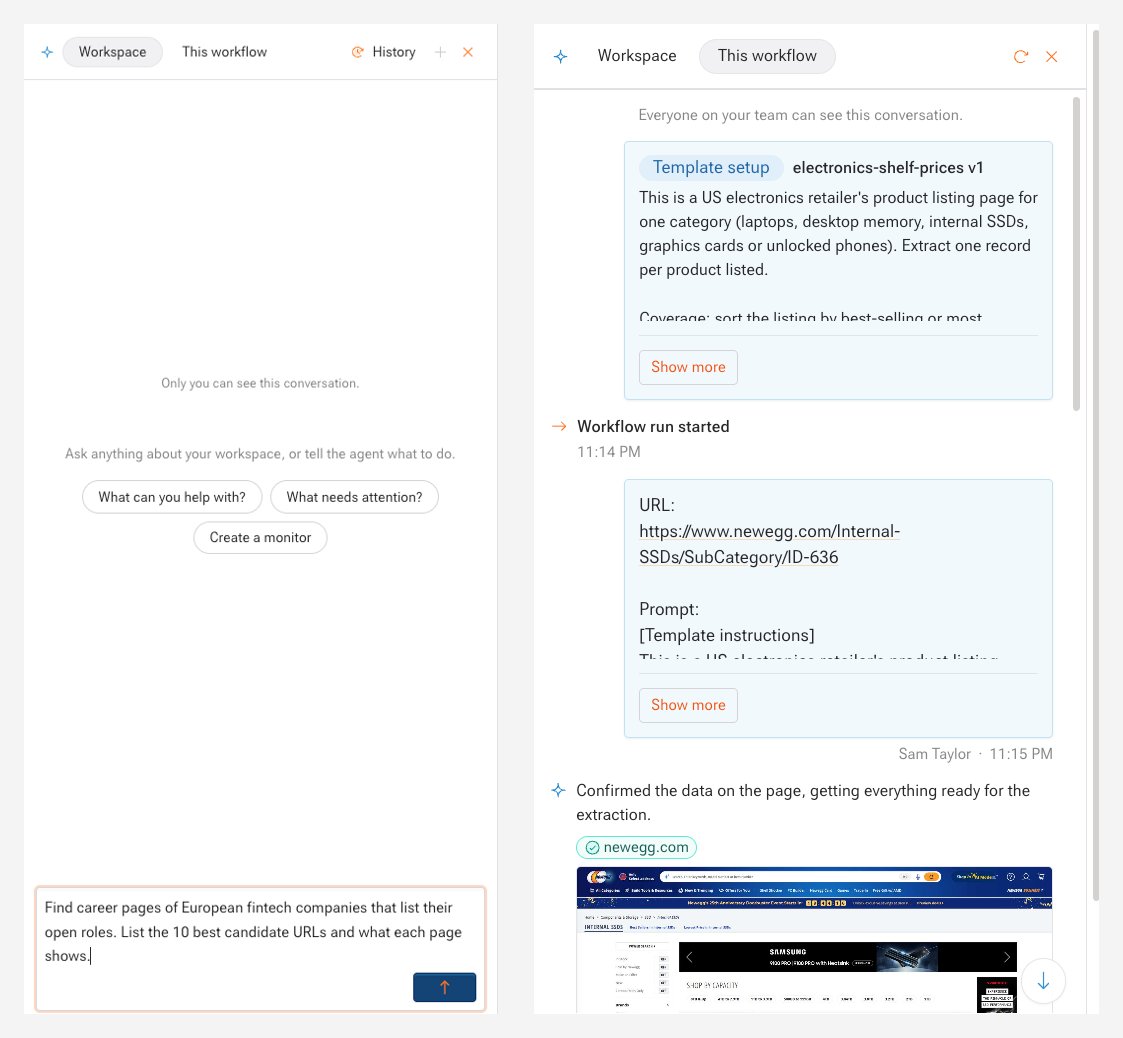
On a workflow page, the panel opens on This workflow. A dot on Agent means a workflow is waiting for your reply.
What the agent does
- Finds the source, if you don’t give a URL.
- Proposes a schema and picks key fields, or uses the fields you name.
- Writes the extraction code and tests it on a free preview.
- Repairs the workflow when a run breaks or a site changes.
How runs work
The agent writes each workflow’s extraction code once. Every run executes that code, so runs are repeatable and do not depend on a new AI guess each time. The agent steps in again only when you ask for a change or when a run needs a repair.When the agent needs you
- Reply needed: the agent has a question. Answer it in the workflow’s chat.
- Preview ready: check the sample and approve it. See Preview and approval.
Learn more
- Work with the agent: step-by-step tasks in the dashboard, from code, and over MCP.
- AI personalization: rules the agent follows on every new workflow.