

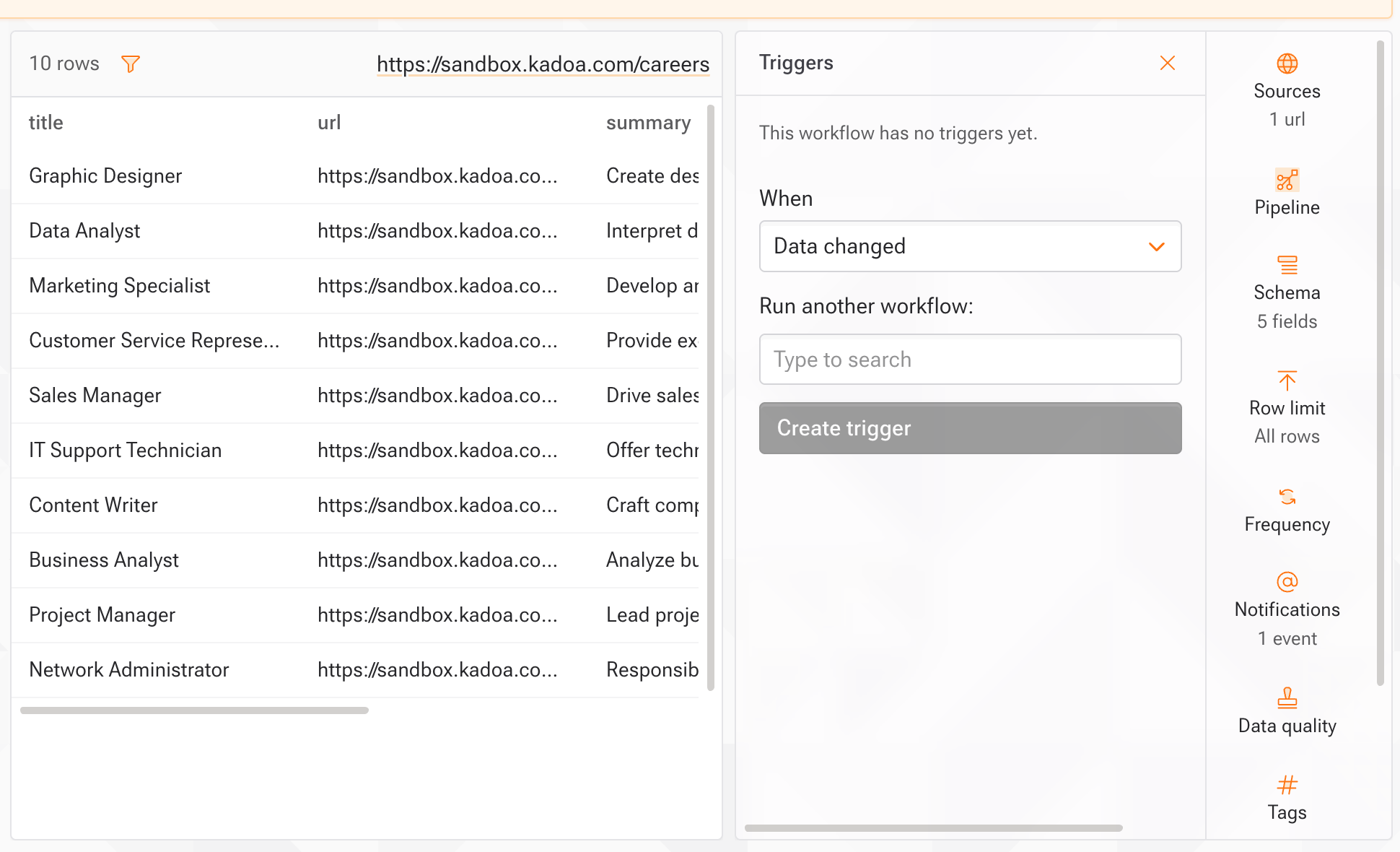
Create a trigger
- Dashboard
- SDK & API
- Open the source workflow and select Triggers in the side rail, then Add trigger.
- Choose when it fires: Data changed, Workflow finished, or Export completed.
- Select the workflow to run, then Create trigger.
What you’ll see
- Workflows with triggers show a lightning icon and a count in the workflow list.
- The Triggers tab lists outgoing triggers and, below them, incoming triggers: the workflows that start this one.
Limits
- Up to 5 triggers per workflow.
- A workflow can’t trigger itself.
- Real-time workflows can’t be targets.
- Source and target must belong to the same team.
- A triggered run only starts if the target is active, not already running, and has no open support case. Events that arrive mid-run are skipped, not queued.
- Chains go up to 15 levels deep, which prevents loops.