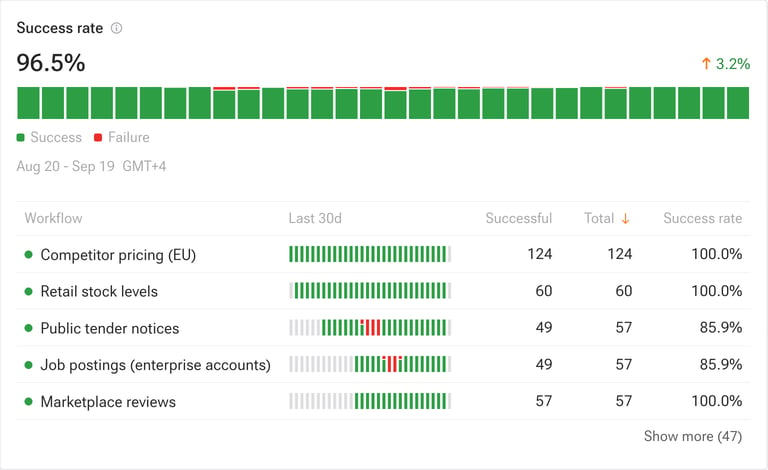
The Observability page in the left sidebar shows reliability, throughput, and incidents for every workflow in your workspace. Pick a range of 30, 90, or 365 days. Headline numbers compare against the previous period, and Export CSV downloads the per-workflow table.
This page covers your workflows. For Kadoa platform availability, see status.kadoa.com.

Success rate

One bar per day across the selected range.
  • Scheduled workflows: the share of runs that completed successfully.
  • Real-time monitors: monitor uptime. Run counts stay blank because polls are not runs.
  • Grey bar: no data for that day.
Success rate The table lists every workflow with its daily trend, run counts, and success rate. If your workspace has real-time monitors, an Avg reload (ms) column shows their average polling cycle time.

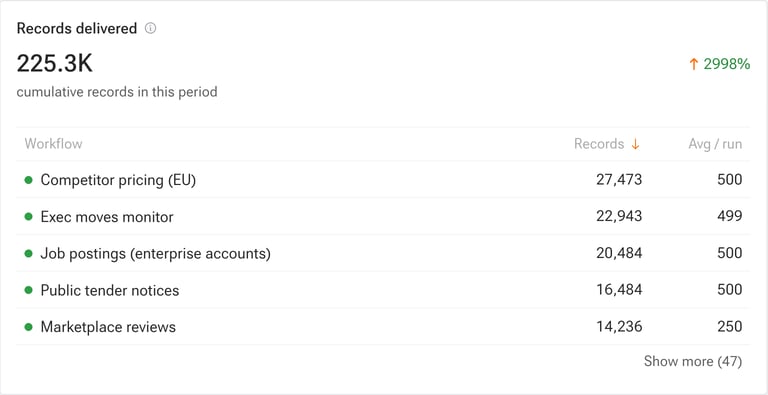
Records delivered

Cumulative rows delivered by completed runs, broken down per workflow with the average per run. Workflows that delivered nothing are listed too. Records delivered
Tickets

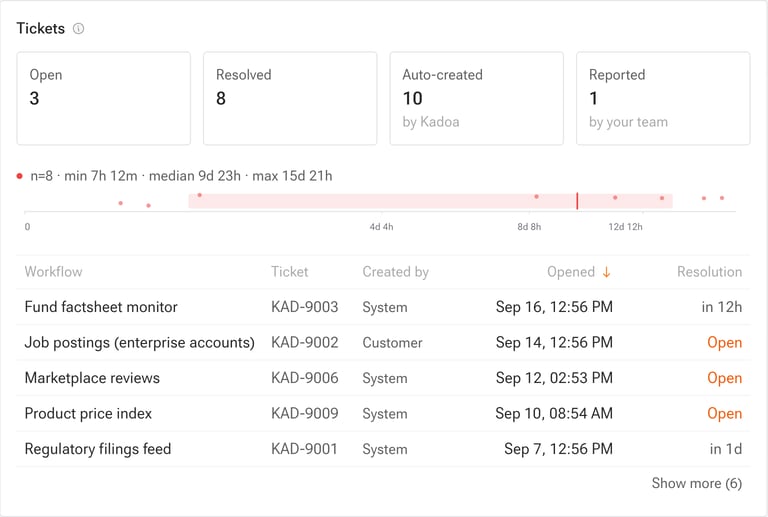
Tickets are created automatically when a workflow fails, or manually by your team in the Support Center. Tickets The distribution chart shows how long resolved tickets took. Click a ticket ID to open it.
Mean time to recover

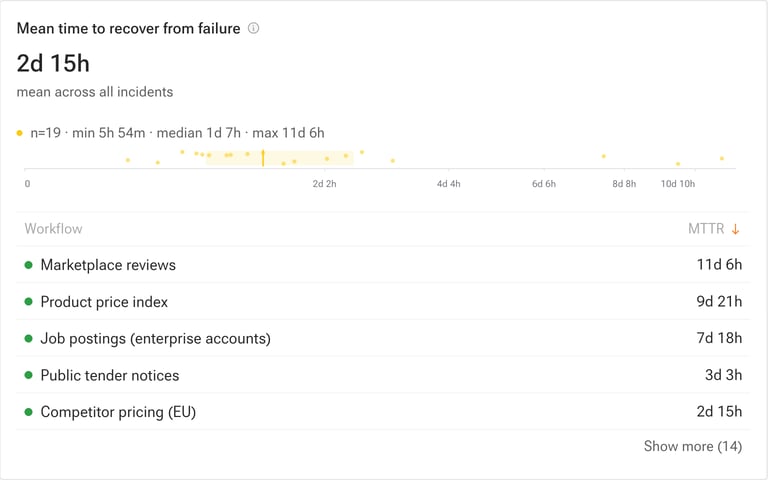
Average time between a workflow’s first failure and its next successful run. Mean time to recover
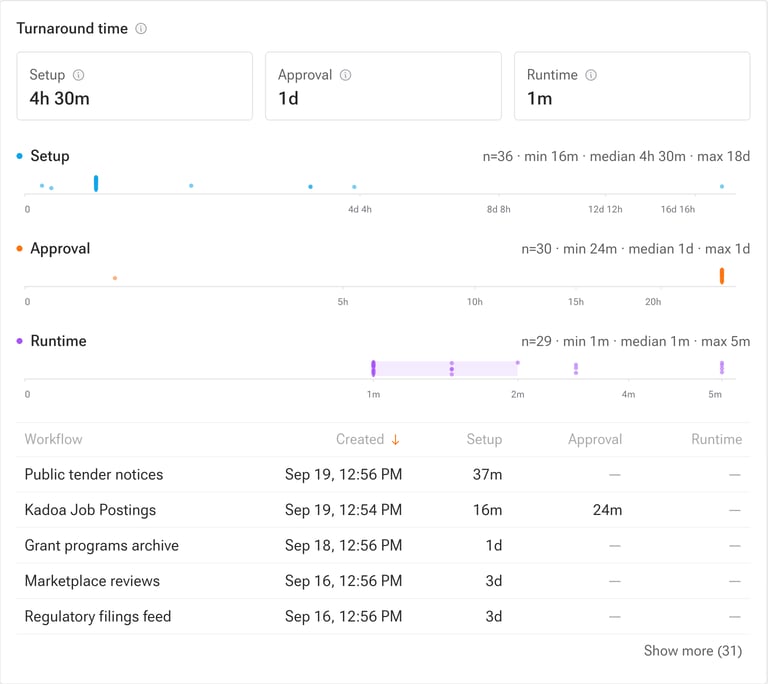
Turnaround time

How long each recently created workflow took to get up and running, split into three phases: Turnaround time
Send this data to your own stack

You can mirror everything on this page into your own observability tooling or data warehouse.

Events

Subscribe to the workflow events you care about, including run failures and data changes. Push them with webhooks or websockets, or pull them with the REST API. Example payloads and available fields are in the payload reference.

Aggregated metrics

We can deliver the aggregated metrics shown on this page to your cloud storage bucket on a schedule, ready to load into Snowflake, BigQuery, Databricks, or Redshift. See Cloud Storage for the ingestion patterns, and request setup through the Support Center.

Learn more