

Your webhook endpoint must be publicly accessible.
Setup
Dashboard Setup
- Go to Settings > Notifications
- Under Channels, select Create channel and choose Webhook
- Enter your endpoint URL
- Save changes
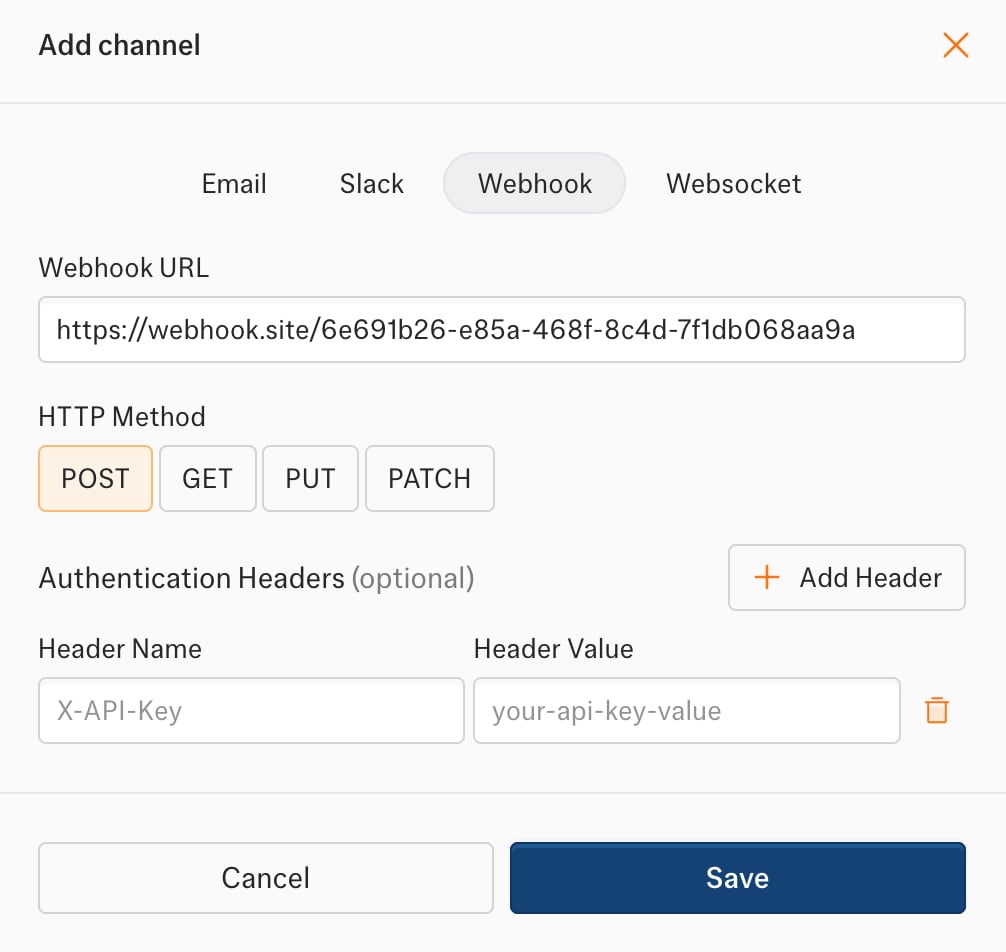
Authentication
Add custom headers for webhook authentication:Request Format
Every webhook request includes:Payload Reference
All payloads follow this structure:workflow_data_change data holds the records of the run that produced the change. If they exceed the 50 MB notification limit, data is an empty array and dataOmitted is set: reason is PAYLOAD_TOO_LARGE, and message names the API call for this run. Fetch the records with GET /v4/workflows/{workflowId}/data?runId={jobId}. Branch on reason; the message text can change.
workflow_data_change summary is the AI summary of the change. It is null when the AI summary option is off. When the Changed records option is off, differences is an empty array.
workflow_failed fields: required workflowId, source, reason, action; optional workflowName, sourceUrl, url.
workflow_recovered fields: required workflowId, workflowName, source; optional sourceUrl, url.
Error Handling
Kadoa makes up to 3 attempts to deliver each webhook. Each attempt times out after 30 seconds.
Return a
2xx status code to acknowledge receipt.