

- Extract: how the source is fetched, such as a direct API call or a browser scrape.
- Transform: the workflow’s transformation, if any, plus built-in function fields.
- Deliver: where each run’s results go. Downloads, API and SDK access, and the destinations Kadoa delivers to.
Extract
The Extract section describes how the source is fetched: the strategy, the approach (direct API or browser), the URL, the request shape, and the selectors the workflow relies on.
Transform
The Transform section lists the fields the transformation reads and the fields it adds or modifies, each with a summary of how it is computed when available. Click a field to open it in the Schema tab; untouched fields pass through as-is. Workflows without a transformation show a note saying so.
Deliver
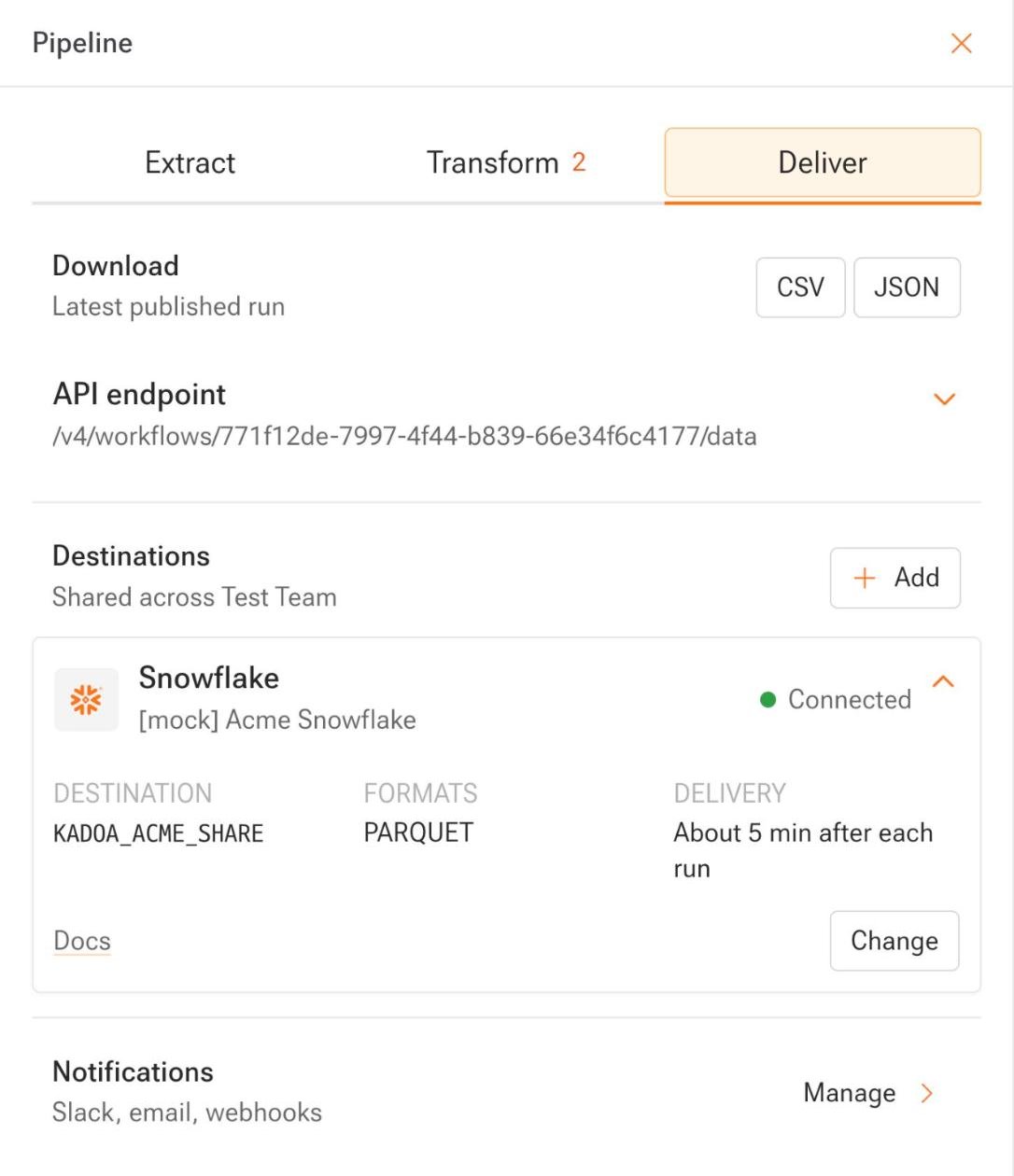
The Deliver section answers one question: where does this workflow’s data go?- Download the latest published run as CSV or JSON.
- API endpoint shows this workflow’s data path. Expand it for the full URL, a copy button, and links to the REST API, SDK, and MCP server.
- Destinations lists the data destinations that deliver this workflow after each run. Destinations belong to your workspace, not to one workflow: set one up once and any workflow can deliver to it. Expand a destination for its share or bucket, file formats, timing, and a Change button. Click Add to open the catalog: Amazon S3, Google Cloud Storage, SFTP, Snowflake, Databricks, and Azure Blob Storage. Set up opens a Support Center request prefilled with the workflow, the destination, and the details we need.
- Notifications links to the Notifications panel for Slack, email, and webhooks.
API
- Get workflow by ID returns the
transformationobject. - List workflow destinations returns the workflow’s delivery destinations.