Secret variables are team-scoped, write-only values for passwords, API keys, and other credentials. Kadoa stores the value in Google Secret Manager and keeps only non-sensitive metadata in its database.

How secrets work

  • Owners and Admins can create, rotate, rename, and permanently delete secrets.
  • Team members can see a secret’s key, provider, status, and timestamps, but never its value.
  • A workflow receives only the secrets explicitly linked to it.
  • Secret values are not sent to an LLM or returned by the API.
  • User scripts receive no Google Secret Manager credential.
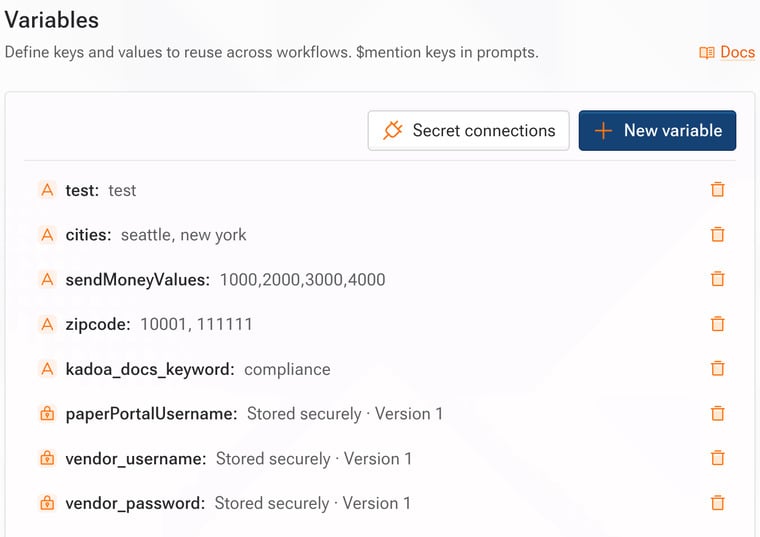
Kadoa resolves all linked secrets before starting the script. If any value is missing, disabled, inaccessible, or temporarily unavailable, the script does not start with an empty, cached, or partial secret set.

Choose where the value is stored

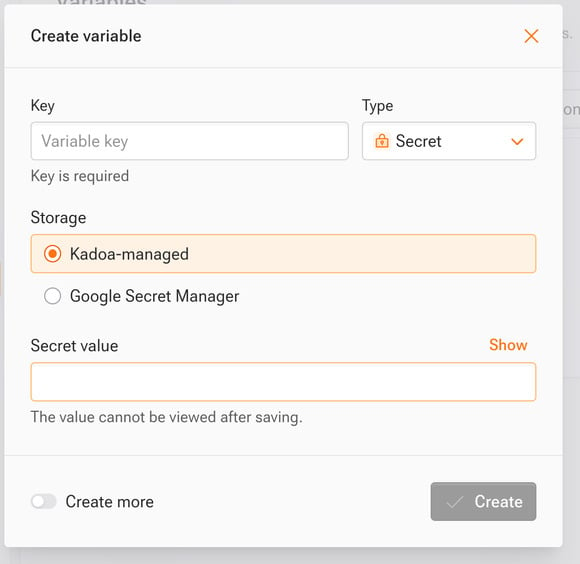
Kadoa-managed

Kadoa creates and versions the value in its Google Secret Manager project. Rotating the secret creates and verifies a new version before disabling the previous version.
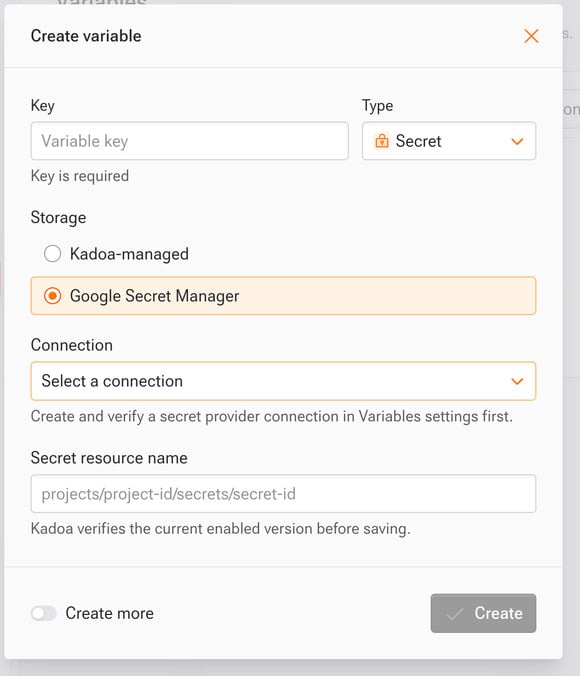
Your Google Secret Manager

Connect a Google Cloud project, then reference an existing secret. The recommended connection uses a customer grant: grant the displayed Kadoa broker identity Secret Accessor on the exact secret you want to use. Kadoa resolves that secret’s latest enabled version at execution time. You can revoke the grant in Google Cloud at any time. Future executions then fail before the script starts.
Create a secret

  1. Open Team settings and select Variables.
  2. Select Create variable.
  3. Enter a unique key and choose Secret.
  4. Choose Managed by Kadoa or a connected Google Secret Manager project.
  5. Enter the write-only value or exact Google secret resource name.
  6. Select Save.
The submitted value is never shown again. To replace a Kadoa-managed value, rotate it.

Use a secret in a script

Link the secret to the workflow, then read it separately from ordinary variables:
Stable variable IDs keep the reference valid when a secret key is renamed. Key access is also available for existing scripts.

Log protection and limits

Kadoa removes exact injected plaintext values from managed script stdout, stderr, and uploaded execution logs before those outputs are stored. This protection includes values split across output chunks and multiline values. This is an accidental-disclosure safeguard, not data-loss prevention. It does not protect encoded, transformed, partial, or deliberately transmitted values, and it does not scan extracted business data. Review scripts that use credentials and avoid writing secrets to outputs. Deleting a Kadoa-managed secret is immediate and permanent. Deleting a customer-managed reference never deletes the value from your Google Cloud project.

Learn more