

https://mcp.kadoa.com/mcp, then sign in with your Kadoa account. You need no API key. For what your AI tool can do once connected, see Connect your AI tool.
ChatGPT
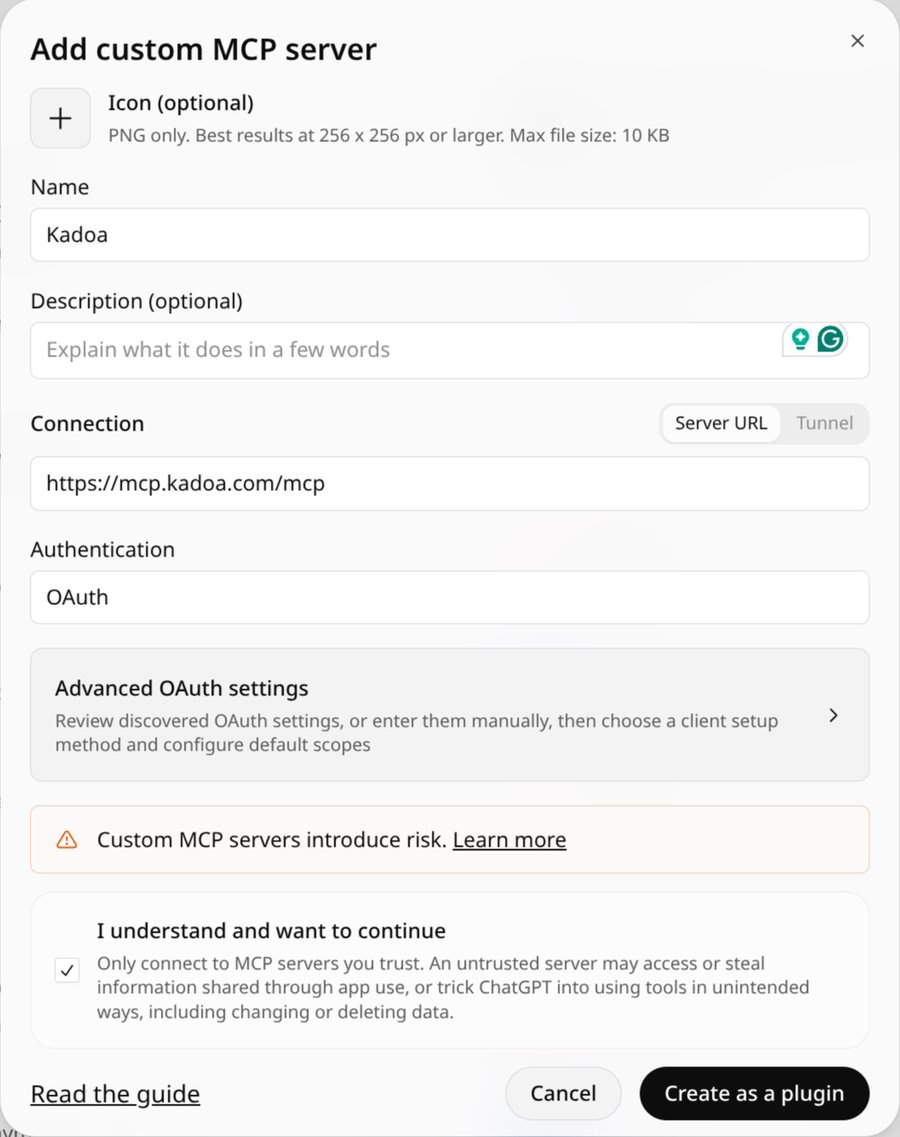
- Go to Plugins, click Add, and choose to add a custom MCP server
- Enter a name (for example
Kadoa) and the server URLhttps://mcp.kadoa.com/mcp, keep OAuth as the authentication, confirm the risk notice, and click Create as a plugin
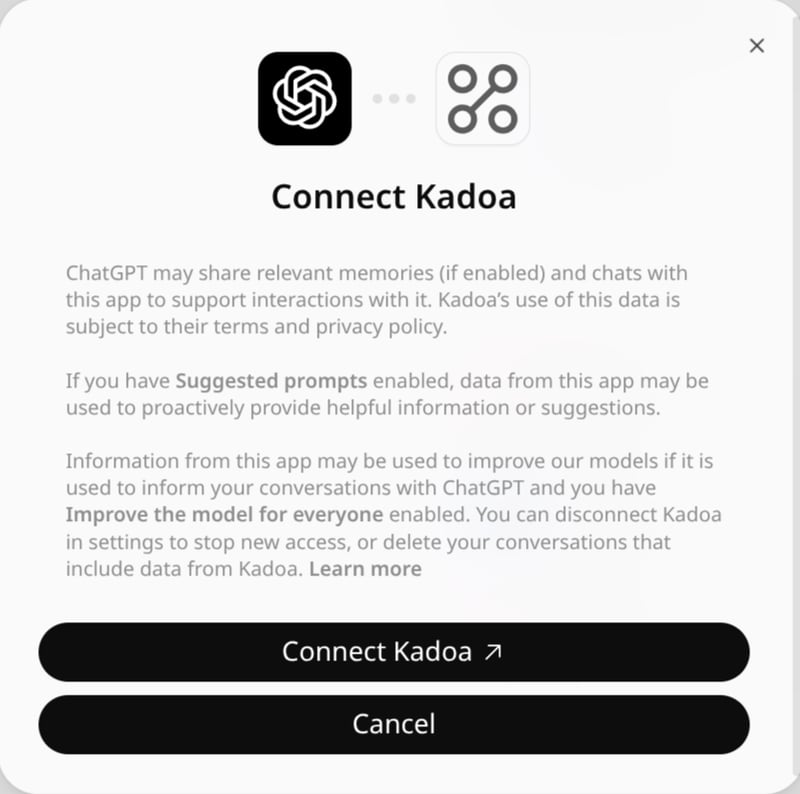
- Click Connect Kadoa and sign in with your Kadoa account
Codex

codex mcp list to confirm the server uses OAuth. To sign in again later, run codex mcp login kadoa.
